Top 5 Improvements In Visual Studio 2026 That Will Transform Your Workflow
Summary
Visual Studio 2026 transforms the .NET developer experience with deep AI Copilot integration for intelligent coding, debugging, and reviews. It delivers faster build and debug performance, native support for .NET 10 & C# 14 with advanced profiling, and adds Podman container support for modern DevOps workflows. Enhanced Git & PR tools streamline team collaboration—making VS 2026 the smartest, fastest, and most developer-centric release yet.
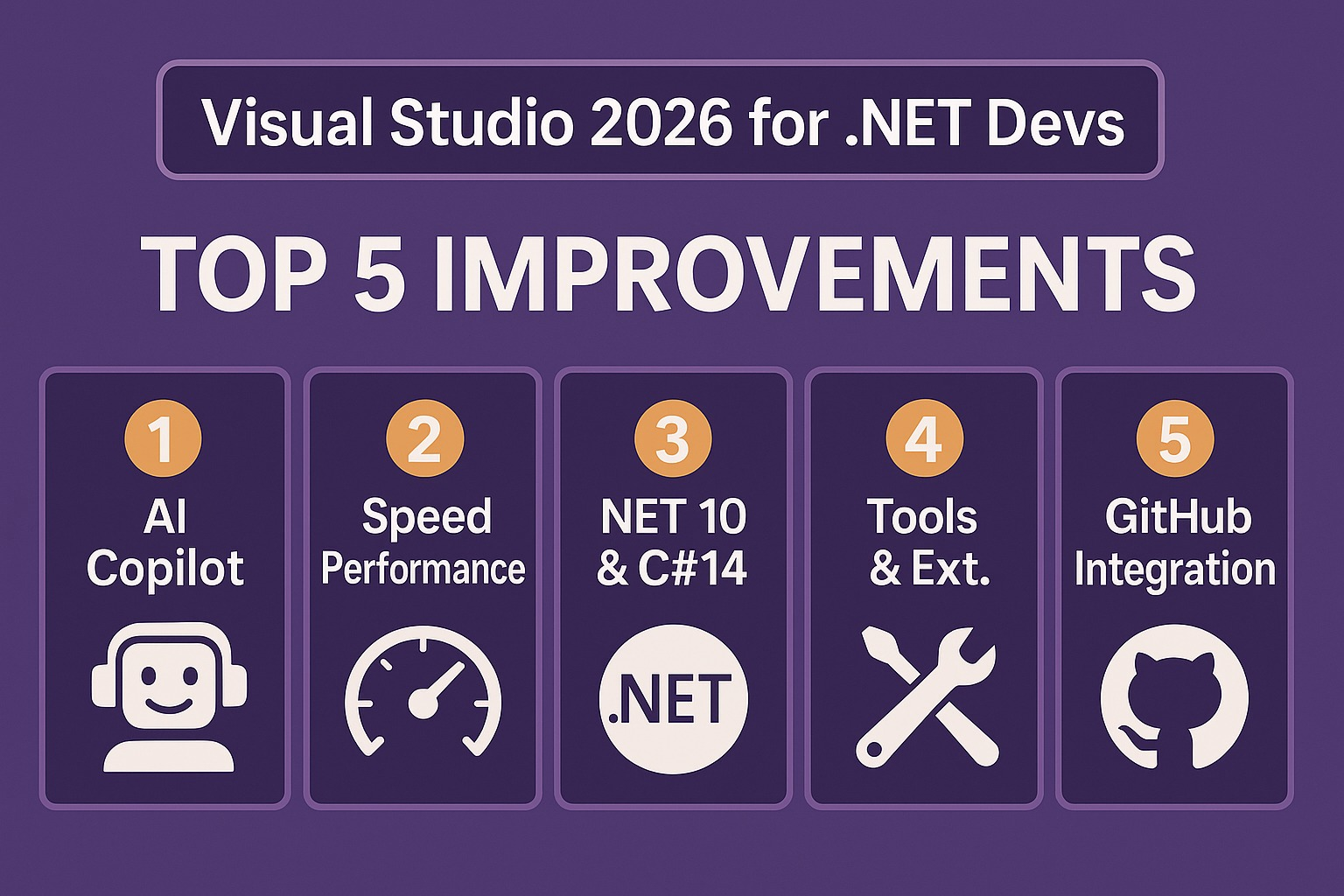
🧭 Overview Diagram: "What’s New for .NET Developers in Visual Studio 2026"
1. Deep AI Assistance / Copilot Integration
What’s new:
The IDE embeds AI (Copilot) not just for auto-completion but for explanation, planning, multi-file tasks.
You hover over a condition or method during debugging and get human‐readable insight (“why this value is X, what might happen”).
You ask “Generate unit tests for changed methods” and the IDE outlines & creates them.
Why it matters for .NET devs:
Legacy .NET codebases often have complex logic — this helps you understand faster.
Reduces context-switching (no need to alt-tab to web/manual).
Improves code quality with built-in suggestions for tests, performance, security.
Quick diagram:
[ Codebase ] →
[ AI understands context ] →
[ Explain / Suggest / Generate ] →
[ You implement ]
2. Performance & Responsiveness Improvements
What’s new:
Significantly faster “Press F5 / Start Debug” especially when using .NET 10.
Large solutions open and navigate more smoothly.
Better memory usage, faster iteration loops.
Why it matters:
In a .NET microservices environment (many projects), every second saved adds up.
Time you spend waiting = time not writing features.
Makes debugging/iteration less of a bottleneck.
Visual frame:
VS 2022: ███████████████ 25 s
VS 2026: ████████ 17 s
(Approximate for large project debug start)
3. First-Class .NET 10 + C# 14 Support + Built-in Profiling/Benchmarking
What’s new:
Native support for latest runtime (.NET 10) and language features (C# 14).
New project templates: e.g., BenchmarkDotNet integration.
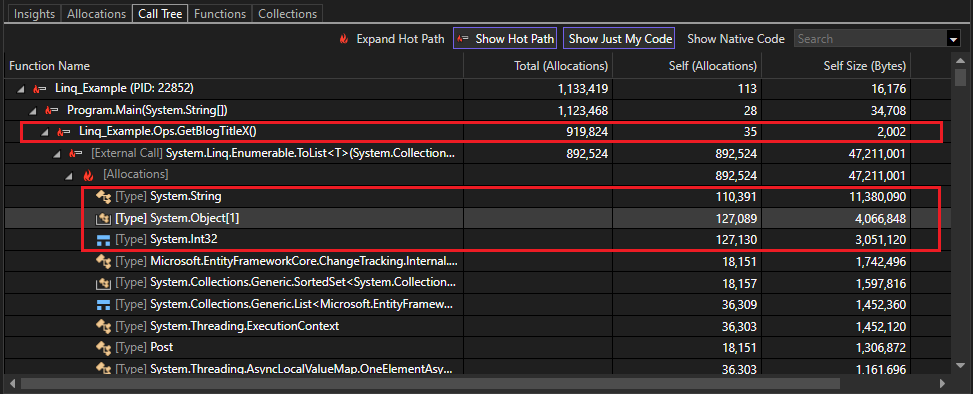
CodeLens shows allocation hotspots, memory/GC issues, with AI suggestions.
Why it matters:
Using the latest runtime means you get better performance, new APIs, and future-proofing.
For .NET apps where performance matters (services, backend), the profiling tools help you measure & fix instead of guess.
Language features help you write cleaner, more expressive code.
Workflow visual:
Create Project (.NET 10) → Write Code (C#14) → Run Benchmark → CodeLens highlights “High GC” → Ask AI to “Optimize allocations” → Implement fix
4. 🐧 Podman Support for Containerised .NET Development
What’s new:
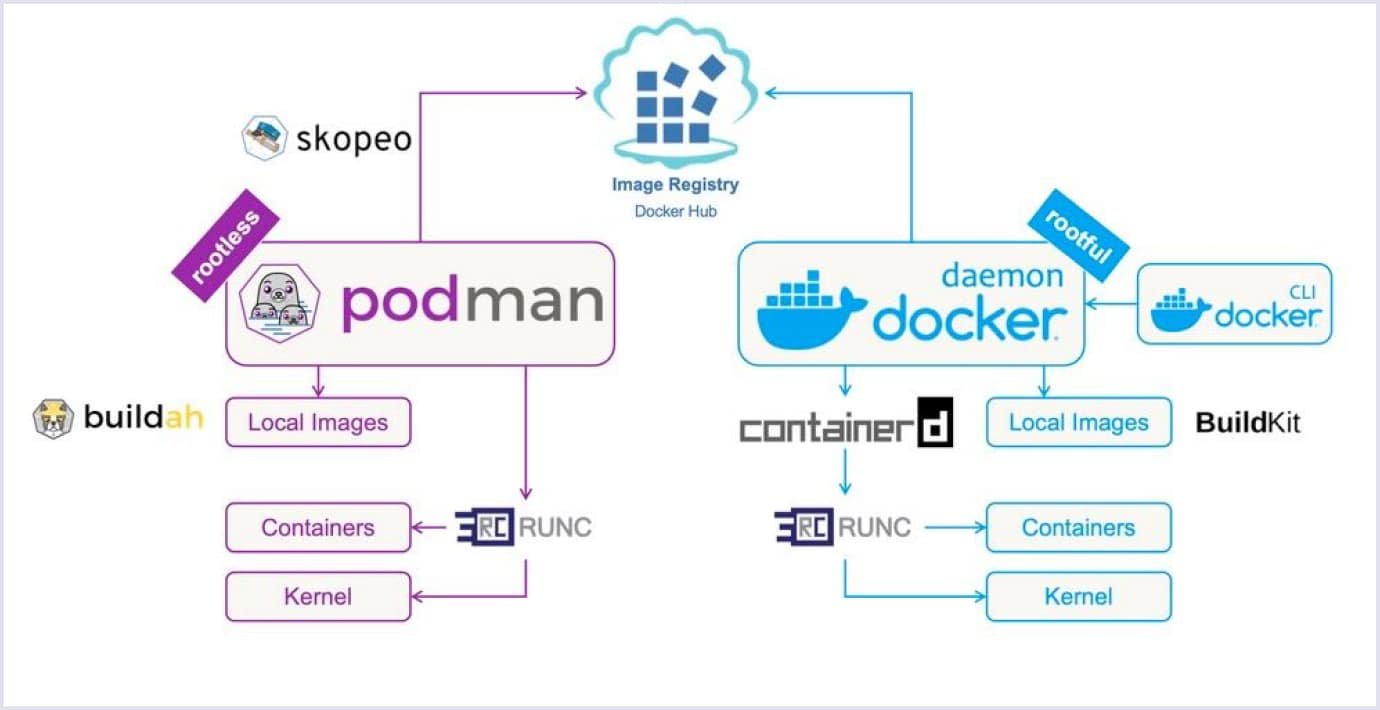
Visual Studio container tools now support Podman as a runtime option (in addition to Docker) for managing containers in your .NET apps.
You can choose Podman (daemonless, rootless) for your container builds/debug in .NET projects.
Useful especially for cross-platform development and for teams wanting Docker‐alternative workflows.
Why it matters for .NET devs:
If you're deploying microservices in containers (ASP.NET Core, .NET 10) you might use container tools. Podman support gives you more flexibility (e.g., on Linux, Mac, Windows).
Makes the development environment more consistent, especially if production uses Podman or you want lighter container runtime.
Helps when you want to move away from Docker Desktop licensing issues.
Visual diagram:
[ .NET WebAPI ]
+ Add Container Support → Runtime: Podman
→ Build image → Run debug container
→ Inspect in VS Containers window
Tip: Ensure Podman machine/socket is configured and VS container tools set to use Podman. Some preview builds report issues.
5. Improved Git / PR / Review Workflow inside IDE

What’s new:
Pull request review inside the IDE is enhanced: comments appear in diff view, Markdown rendering, suggestions can be applied inline.
AI helps summarise changes, highlight risk areas in commit history before you merge.
Less need to leave IDE to manage PRs, review, comment, fix.
Why it matters:
For .NET developers working in teams across microservices, code reviews are constant. Smooth flow means less friction.
Faster turnaround: reviewer leaves suggestion → you apply inline → branch ready.
Higher code quality: AI catches patterns you might overlook (e.g., missing null checks, performance hotspots).
Flow chart:
Dev pushes feature → Reviewer opens in VS → Diff view with comments → Apply suggestion → Commit → Merge