
20 Secrets To Optimizing SQL Queries With Practical Examples
Summary
Optimize SQL queries by using indexes wisely, avoiding SELECT *, reducing joins, filtering early, and analyzing execution plans for faster, scalable performance
Optimizing SQL queries is one of the highest-impact skills for backend engineers, data engineers, and DBAs. Poor queries don’t just slow things down—they increase infrastructure costs, degrade user experience, and limit scalability.
In this guide, we’ll walk through 20 essential techniques and expand them with real-world insights, trade-offs, and advanced strategies.
🧠 Why Query Optimization Matters
Before diving in:
⚡ Faster queries = better UX
💰 Less compute = lower costs
📈 Better scalability under load
🔒 Reduced locking & contention
👉 Core Optimization Techniques
1. Use Indexes Wisely
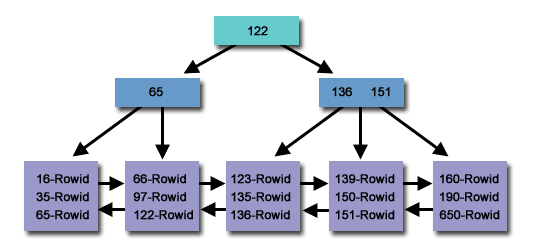
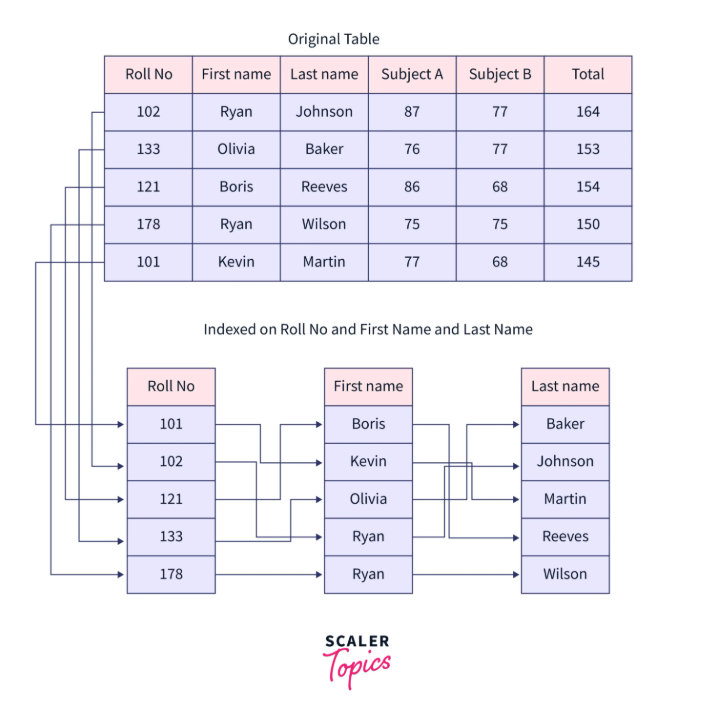
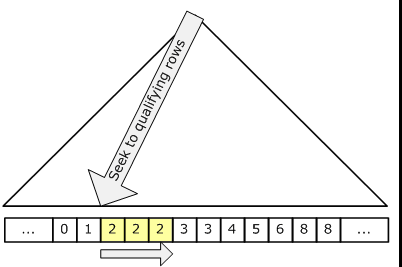
Indexes are the #1 performance lever in SQL.
Key Insights:
Index columns used in:
WHEREJOINORDER BYGROUP BY
Use composite indexes for multi-column filters
Avoid over-indexing (hurts writes)
Pro Tip:
👉 Order matters in composite indexes:
INDEX (Status, CreatedDate) -- good for filtering Status first2. Avoid SELECT *
Why it matters:
Fetches unnecessary data
Prevents covering indexes
Increases memory + network load
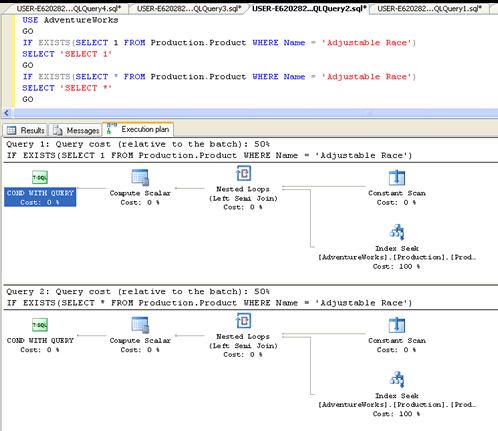
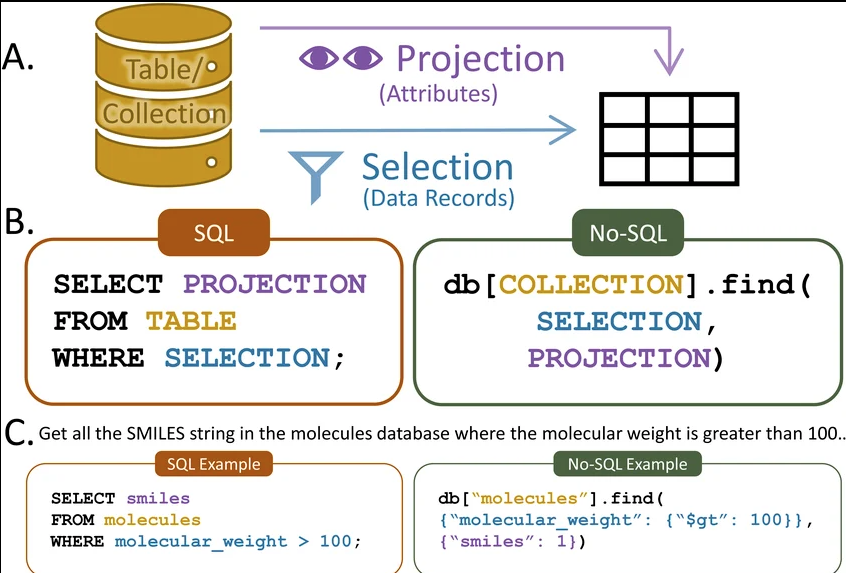
SELECT CustomerID, FirstName, LastNameFROM Customers;
3. Implement Pagination Properly
OFFSET-based pagination gets slower as data grows.
❌ Bad:
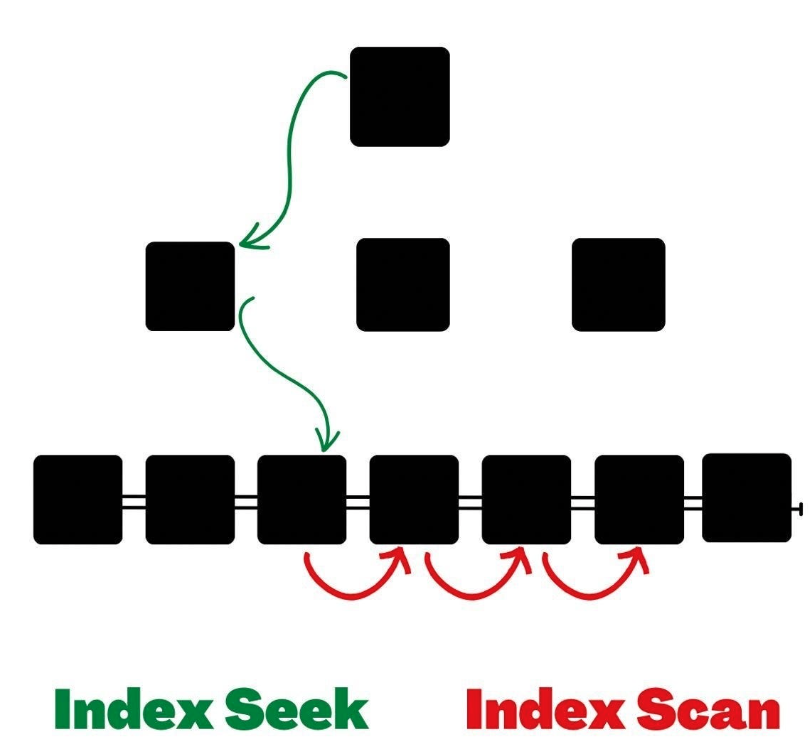
OFFSET 100000 ROWSUses index → O(log n) instead of O(n)
4. Limit Rows Early
Filter as soon as possible.
Why:
Reduces dataset before joins/aggregations
Improves execution plan
Rule:
Push filters into WHERE, not after joins
5. Avoid Functions in WHERE
❌ Bad:
WHERE YEAR(OrderDate) = 2025✅ Good:
WHERE OrderDate >= '2025-01-01'
  AND OrderDate < '2026-01-01'
Makes query SARGable (Search ARGument Able)
6. Reduce JOIN Complexity
Problems:
Too many joins = heavy execution plans
Redundant joins waste CPU
Strategy:
Only join what you need
Consider pre-aggregated tables
7. Choose Correct JOIN Types
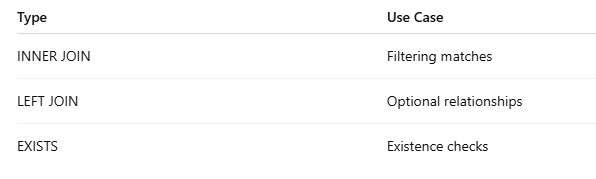
EXISTS is often faster than JOIN + DISTINCT
8. Use Proper Data Types
Why:
Implicit conversions = index unusable
❌ Bad:
INT column compared with VARCHAR✅ Good:
Keep types consistent across tables
9. Query Only What Changed
Use incremental queries:
WHERE ModifiedDate > @LastRun👉 Critical for:
ETL pipelines
Sync systems
APIs
10. Batch Operations
Instead of:
1,000 single inserts ❌
Use:
Batch inserts ✅
Benefits:
Fewer transactions
Less locking
Better throughput
11. Eliminate Redundant Subqueries
❌ Bad:
SELECT (SELECT Name FROM Customers ...)✅ Good:
JOIN CustomersSubqueries per row = performance killer
12. Use EXISTS Instead of IN
Why:
EXISTSstops earlyINscans entire set
👉 Especially important for large datasets
13. Normalize Wisely
Trade-off:
Normalization → less duplication
Denormalization → faster reads
👉 Real-world systems use both
14. Use Materialized Views
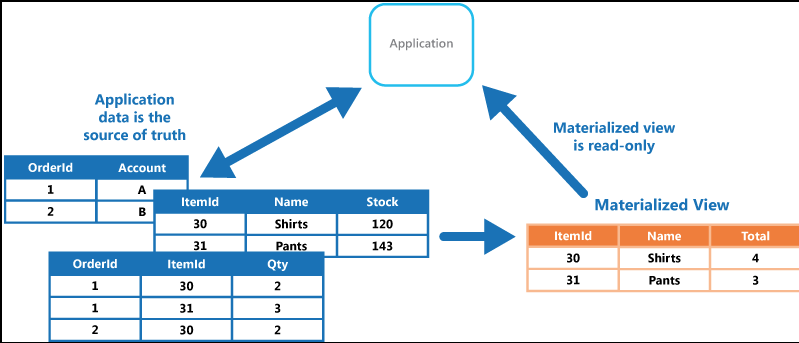
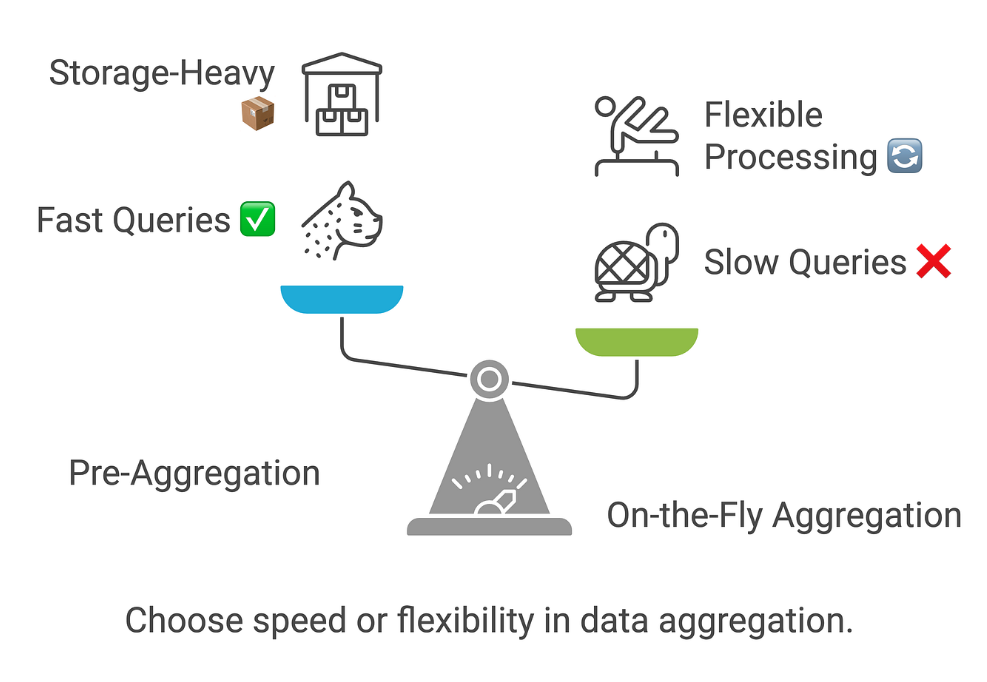
Best for:
Heavy aggregations
Frequent reads
👉 Think: dashboards, analytics
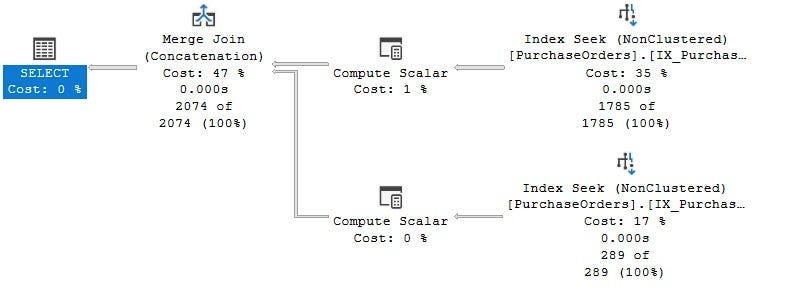
15. Analyze Execution Plans
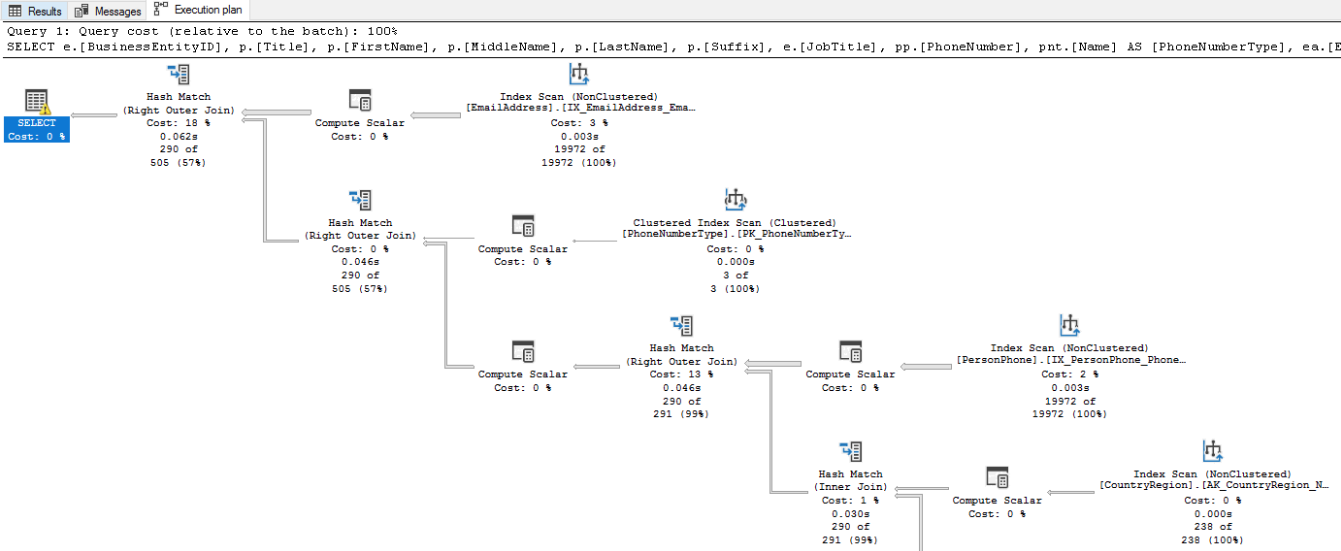
Look for:
Table scans
Missing indexes
Expensive operators
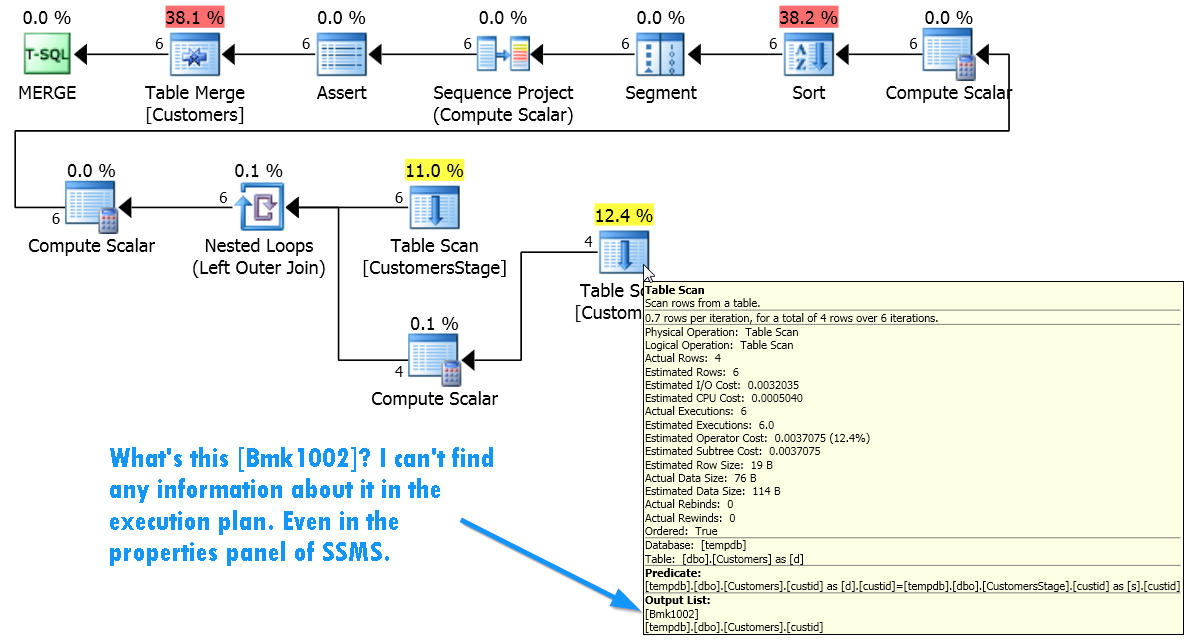
👉 This is where real optimization happens
16. Avoid Leading Wildcards
❌ Bad:
LIKE '%son'✅ Good:
LIKE 'Ander%'👉 Leading wildcard = no index usage
17. Keep Transactions Short
Problems:
Locks
Deadlocks
Blocking
Rule:
👉 Do minimal work inside transactions
18. Update Statistics Regularly
Why:
Query optimizer depends on stats
Without it:
Wrong execution plans
Massive slowdowns
19. Use Query Hints Sparingly
Hints = forcing behavior
👉 Only use when:
You fully understand the execution plan
You’ve tested alternatives
20. Monitor and Tune Continuously
Track:
Slow queries
Execution time
Resource usage
👉 Optimization is not one-time—it’s ongoing
Advanced Techniques (Added Value)
Here are extra pro-level optimizations beyond your list:
⚡ 21. Use Covering Indexes
An index that includes all needed columns:
CREATE INDEX idx_orders
ON Orders (Status)
INCLUDE (Total, CreatedDate);
👉 Avoids table lookups entirely
⚡ 22. Partition Large Tables
Split huge tables by:
Date
Region
Tenant
👉 Improves scan performance dramatically
⚡ 23. Avoid OR Conditions
❌ Bad:
WHERE Status = 'A' OR Status = 'B'✅ Better:
WHERE Status IN ('A','B')👉 Or split into UNION
⚡ 24. Cache Results
Use:
Redis
Application caching
👉 Don’t hit DB unnecessarily
⚡ 25. Connection Pooling
Avoid creating DB connections repeatedly.
🧪 Real-World Optimization Workflow
Identify slow query
Check execution plan
Add/adjust indexes
Rewrite query (SARGable)
Reduce dataset early
Test again
🏁 Final Thoughts
SQL optimization is about reducing work:
Less data scanned
Fewer rows processed
Smarter access paths
👉 The best engineers don’t just write queries—they think like the database engine.